 Intent
Every task gets its own chat.
Intent is a to-do and task app for two people. Assign a task to someone, set a deadline, and talk about it in a chat that belongs only to that task, with reminders until it is done.
Free, no ads. Coming soon to Google Play and the App Store, in India first.
How Intent works
One task, two people, one conversation. Nothing else mixes in.
Create an Intent
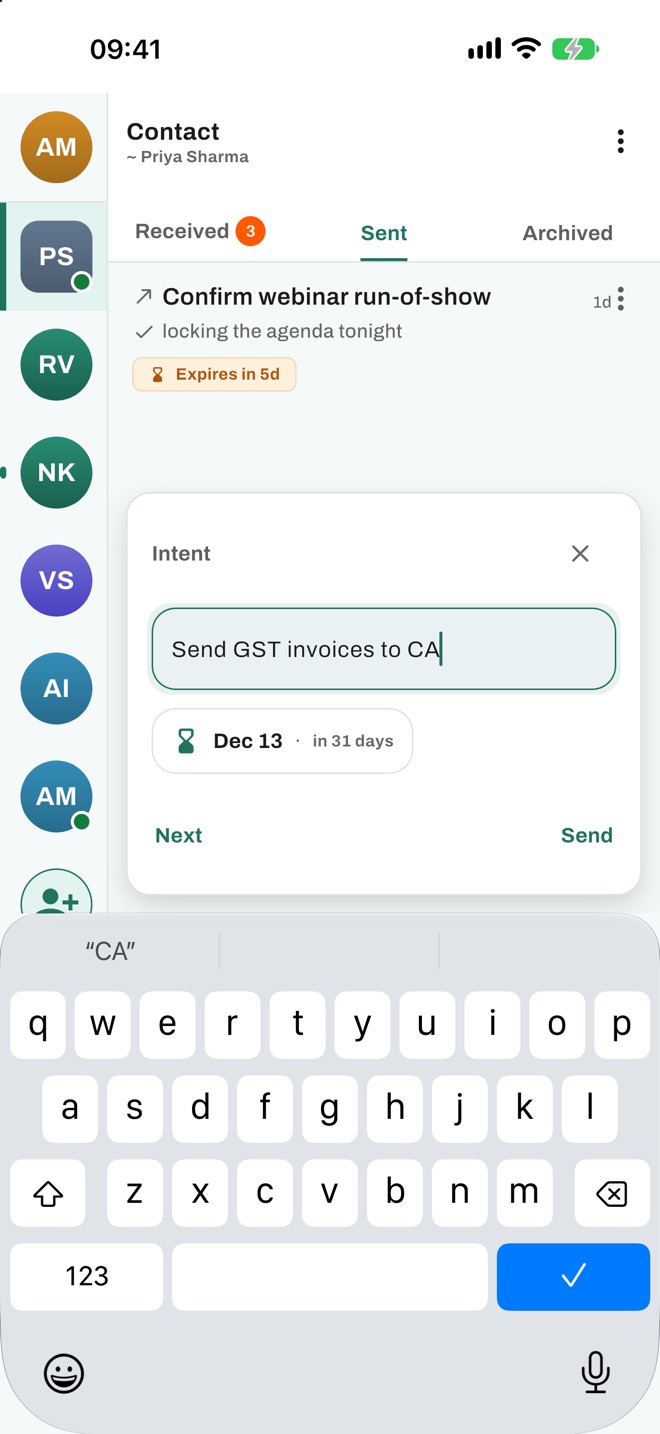
Write what needs to be done and pick a deadline. That task is an Intent.
Assign it to one person
Choose a contact. They see it in Received; you see it in Sent.
Talk until it's done
Chat, share photos and documents, set reminders, then mark it Completed.
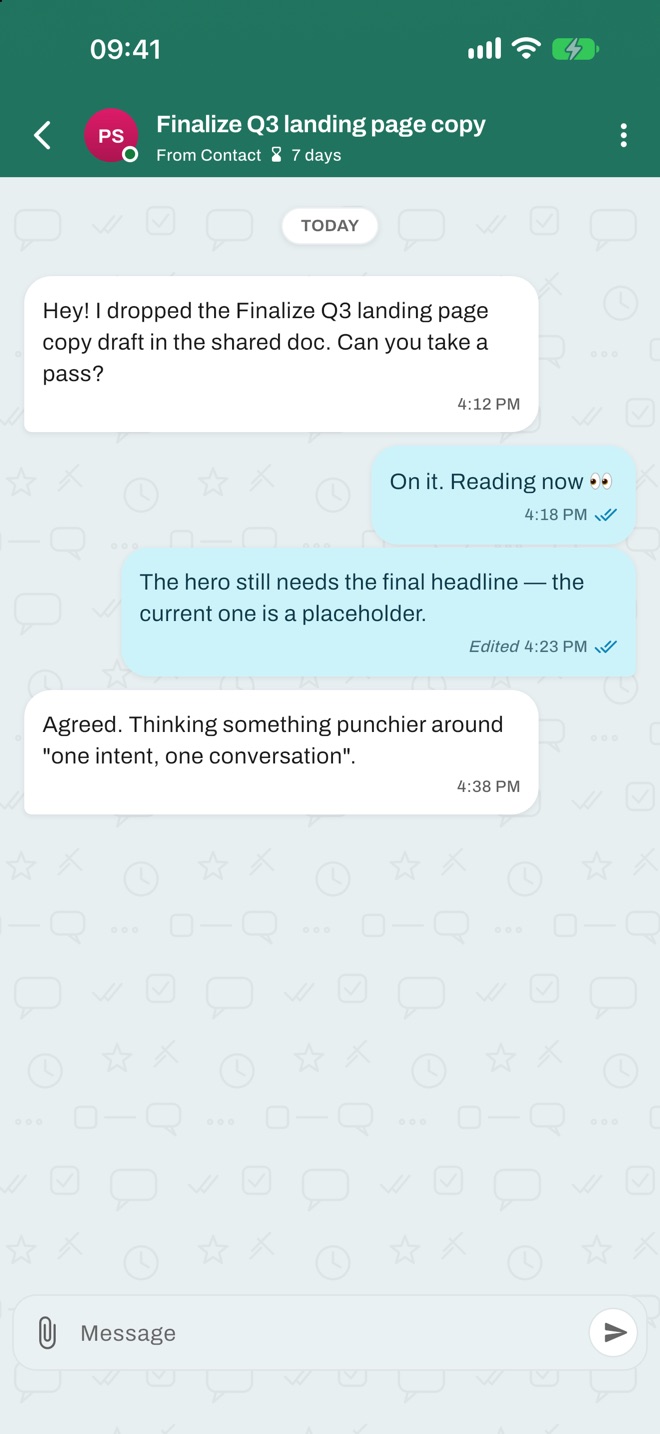
A chat that belongs to the task
Each Intent carries its own conversation with text, replies, photos, videos and documents. Messages about one piece of work never mix with messages about another.
- Delivered and read receipts
- Photos and PDFs stay with the task
- Forward, pin, star and mute
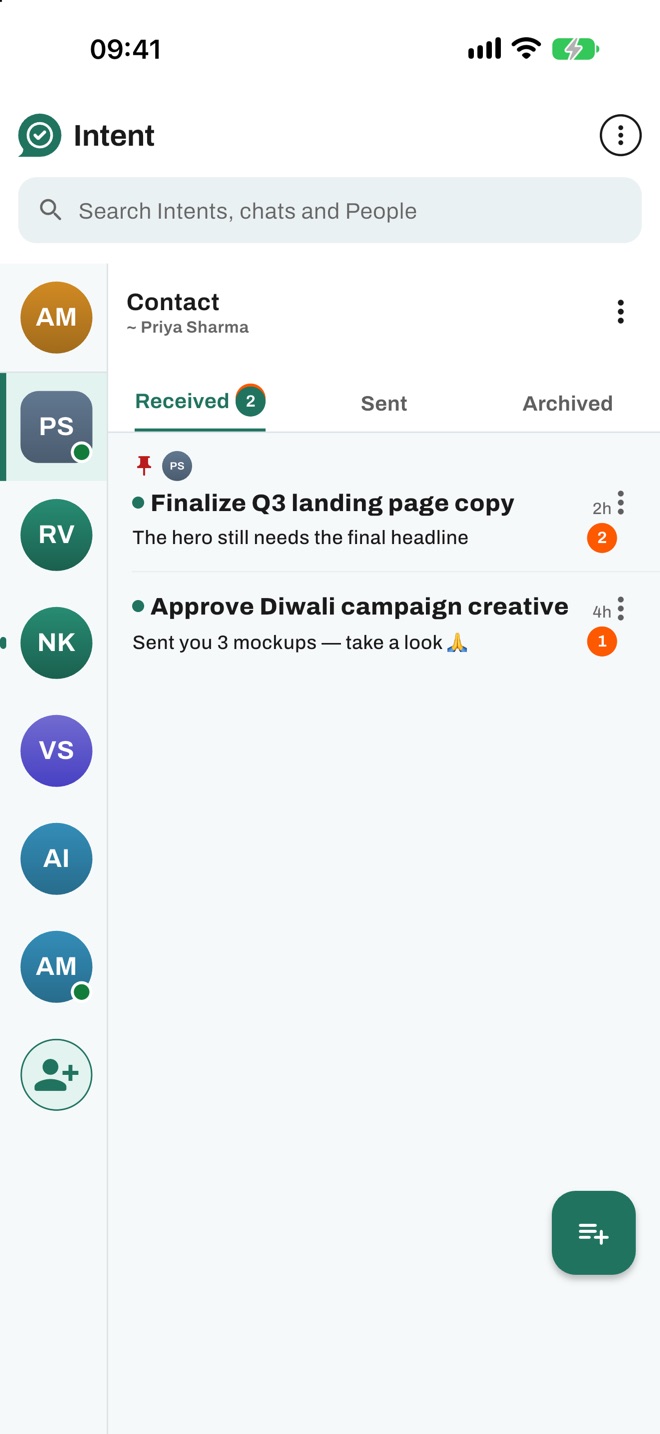
See what's pending at a glance
Everything is grouped by the person you work with: what they sent you, what you sent them, and what is closed. Intents close to their deadline show as expiring.
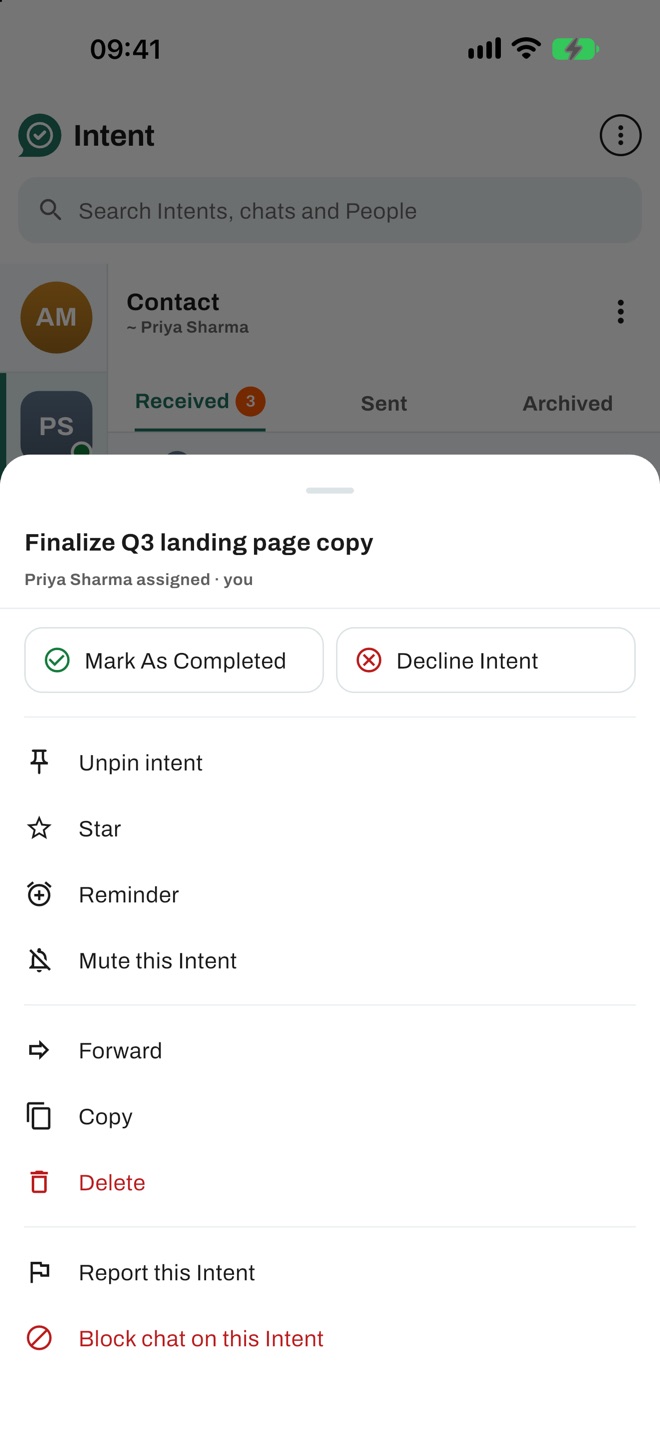
Remind, pin, mark it done
Set a reminder on any Intent, pin the ones that matter, and close it as Completed or Declined. Closed Intents become read-only and move to Archived.
My Intents: your private to-do list
Tasks you give yourself stay only on your phone, with local reminders. They are never sent to Intent's servers. On Android you can back them up to your own Google Drive.
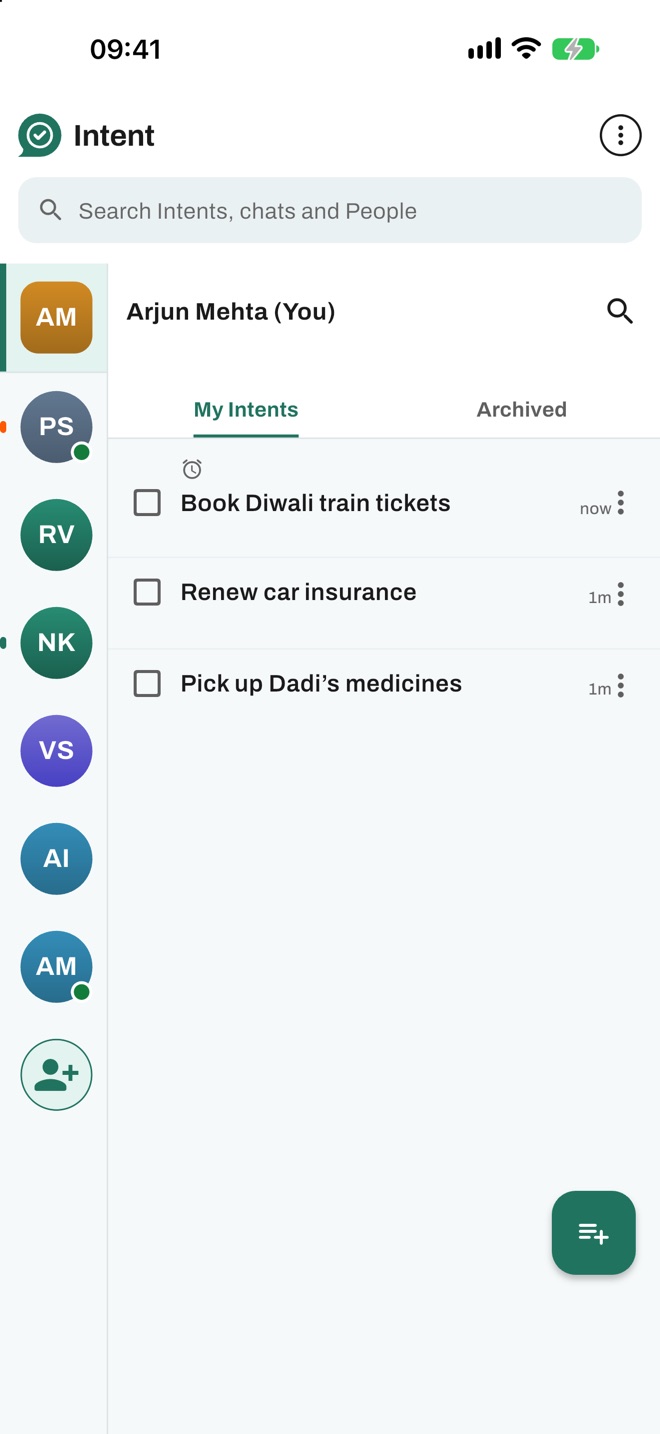
Private by design, works offline
No ads, and your chats are never used for advertising or to train AI. Data is stored in India. Lost your connection? Keep working; what you do offline is sent when you are back online.
Questions people ask
What is an app for assigning tasks over chat?
Intent is an app for assigning tasks over chat. You create a task with a title and a deadline, assign it to one person, and both of you talk about it in a chat that belongs only to that task. Reminders, photos and documents stay with the task until it is completed or cancelled.
How do I assign a task to someone and get reminded to follow up?
In Intent, create an Intent, choose the person, set a deadline and add reminders. The person sees the task in their list and replies inside it. As the deadline gets close the task shows as expiring, so you know when to follow up.
Is there an app that keeps each task's conversation separate from other chats?
Yes. In Intent every conversation belongs to exactly one task between two people, and there is no chat outside a task. Messages about one piece of work never mix with messages about another.
What happens when a task in Intent reaches its deadline?
When the deadline passes, the Intent expires and moves to Archived. A task can also be marked Completed or Cancelled before then. Closed Intents are read-only.
What does "Declined" mean in Intent?
If the person a task was assigned to turns it down, it shows as Declined for them and Cancelled for the person who created it. It is closed, read-only and moved to Archived on both phones.
Can I keep a private to-do list in Intent?
Yes. My Intents are tasks you assign to yourself. They stay only on your phone, are never sent to Intent's servers, and use local reminders. On Android you can back them up to your own Google Drive.
Is Intent free? Does it have ads?
Intent is free to use and has no ads.
How do I sign up for Intent?
Sign in with your phone number and a one-time code sent by SMS. There is no password. If you allow contacts access, Intent shows which people you know already use it.
Does Intent work without internet?
Yes. You can keep using Intent with a poor or no connection. Actions you take offline are queued and sent automatically when you are back online.
How do I delete my account?
In the app, open Settings and choose Delete account. If you no longer have the app, see the Delete your account page on this website.
Get Intent
Intent: Todo & Task Chat is launching on Google Play and the App Store, in India first. Questions before then? Write to intentmessenger@gmail.com.